Which planner genuinely covers all three time horizons — and doesn’t fall apart the moment your schedule gets complicated?
That’s the real question behind most planner searches. Not “what looks nice on a desk” or “what’s trending on social media.” What people actually want is a system where the daily page connects to weekly priorities, weekly priorities connect to monthly goals, and all three layers talk to each other without requiring three separate notebooks.
Most planners don’t deliver that. Here’s an honest look at the ones that do — and why the others consistently fall short.
Why Most Planners Fail at the Daily-to-Monthly Connection
Daily, weekly, and monthly planning demand fundamentally different thinking modes — and building a single planner that handles all three well is a harder design problem than it looks.
Daily planning is concrete and reactive. The question is: what gets done today, in what sequence, at what time? Weekly planning is bridge-level work, connecting short-term tasks to medium-term commitments and helping you prioritize across competing demands. Monthly planning is strategic. It’s about arc and direction, not execution.
Most planners are optimized for one of these modes, then awkwardly bolt on the other two as afterthoughts. The result is a planner that handles one layer well and handles the other two poorly enough that you stop using them.
The Daily Planner Trap
Planners built around daily pages give you extraordinary day-level detail — hourly time slots, notes sections, mood trackers, habit grids. But flip to the monthly section and you typically find a small calendar grid with boxes barely wide enough for two words. You can’t track interconnected project deadlines from that grid. You can’t see at a glance how three overlapping commitments collide in week three of the month.
Strong daily planners are frequently mediocre monthly planners. That distinction matters enormously when you’re investing in a productivity system, not just buying a notebook.
The Monthly Planner Trap
Large-format monthly planners have the opposite problem. You get a clear bird’s eye view of the whole month, but no mechanism for translating that view into daily execution. “Conference prep” occupies five calendar boxes. Monday morning arrives and you have no idea what “conference prep” actually means for the next eight hours.
A planner that only shows the month is a visualization tool. It is not a planning system.
What an Integrated Planner Actually Needs
For a planner to function across all three time horizons, three structural elements must be present:
- A monthly overview that captures goals and major deadlines — not just appointment dates
- A weekly spread that explicitly bridges monthly priorities to daily tasks, with a dedicated priority section
- Daily pages with enough space for time-specific entries, not just a flat to-do list
The connection between layers matters as much as any individual layer. If your weekly spread doesn’t reference your monthly goals, you drift toward whatever feels urgent that week. If your daily page has no link back to the week’s priorities, you end up optimizing for urgency instead of importance — every single week.
This structural problem also explains why many people buy a second planner within six months of buying their first. The first solved the layer they felt most pain around. The second purchase is the realization that the other two layers also needed solving — ideally, in the same book rather than scattered across three different systems.
Top Planners Compared: Daily, Weekly, and Monthly Views Side by Side

The table below covers the most widely used planners that genuinely attempt all three time horizons. Prices reflect standard 2026 retail pricing for base editions. “Partial” means the feature exists but is limited enough in scope or space to be functionally restricted.
| Planner | Daily View | Weekly View | Monthly View | Price | Best For |
|---|---|---|---|---|---|
| Full Focus Planner (Michael Hyatt) | Yes — half-hour time blocks | Yes — Big 3 priorities | Yes — goal-oriented | $45 | Goal-driven professionals |
| Passion Planner (dated/undated) | Yes — hourly 6am–10pm | Yes — with weekly reflection | Yes — roadmap + calendar | $30–$35 | Students, creatives, educators |
| Panda Planner Pro | Yes — gratitude + top tasks | Yes — weekly review built in | Yes — habit tracker included | $27–$30 | Habit-builders, teachers |
| Clever Fox Planner Pro | Yes — simplified task view | Yes | Yes — OKR-style goal sections | $27–$32 | Structured thinkers, first-timers |
| Self Journal (BestSelf Co.) | Yes — 3 key tasks focus | Partial — weekly check-in only | Partial — 13-week sprint format | $32 | 90-day project sprints |
| Erin Condren LifePlanner | Partial — within weekly spread | Yes — vertical or horizontal layout | Yes — large calendar grid | $55–$65 | Visual planners, heavy customizers |
| Hobonichi Techo Cousin | Yes — midnight-to-midnight hourly | Yes | Minimal — tiny grid only | $35–$40 | Daily-first writers, journal users |
The Passion Planner is the strongest all-rounder at its price point. At $30–35 for the standard dated edition, it includes a monthly roadmap section for mapping goals across 12 months, hourly daily pages, and a structured weekly reflection spread. Students and educators gravitate toward it in part because it comes in an academic-year dated format (August–July) that aligns with the school calendar rather than the fiscal year — a small structural choice with meaningful impact on how natural it feels to use daily.
The Self Journal deserves a direct caveat: it is a 13-week sprint planner, not a monthly life planner. The monthly section exists but is oriented around a 90-day goal cycle, not calendar months. That’s genuinely powerful for driving a specific project or goal. It’s frustrating if you want a general-purpose daily-to-monthly system that handles regular life alongside occasional project work.
The Erin Condren LifePlanner at $55–65 wins on customization — vertical, horizontal, or hourly weekly layouts, extensive color-coding options — but its daily view is embedded within the weekly spread rather than a standalone page. If you need detailed per-day planning with meaningful space for each hour, that’s a real structural limitation, not just a style preference.
The Mistake That Kills Most Planning Systems
Buying a more detailed planner does not make you more organized. It makes abandonment more likely.
The most common reason people quit planners isn’t lack of discipline. The planner demands more time to maintain than it saves. If filling out daily pages takes 25 minutes every morning and 20 minutes every evening, you’ve added 45 minutes of overhead per day. For most people with full schedules — students, teachers, working parents — that math breaks down fast and the planner stops getting opened.
The planners with the highest long-term stick rates are consistently the ones with the lowest daily maintenance cost. Before buying based on feature richness and elaborate layout design, ask honestly: how long does it realistically take to complete one day’s pages? If the honest answer is longer than five minutes, those features may be working against you rather than for you.
Dated vs. Undated Planners — What the Difference Actually Costs You
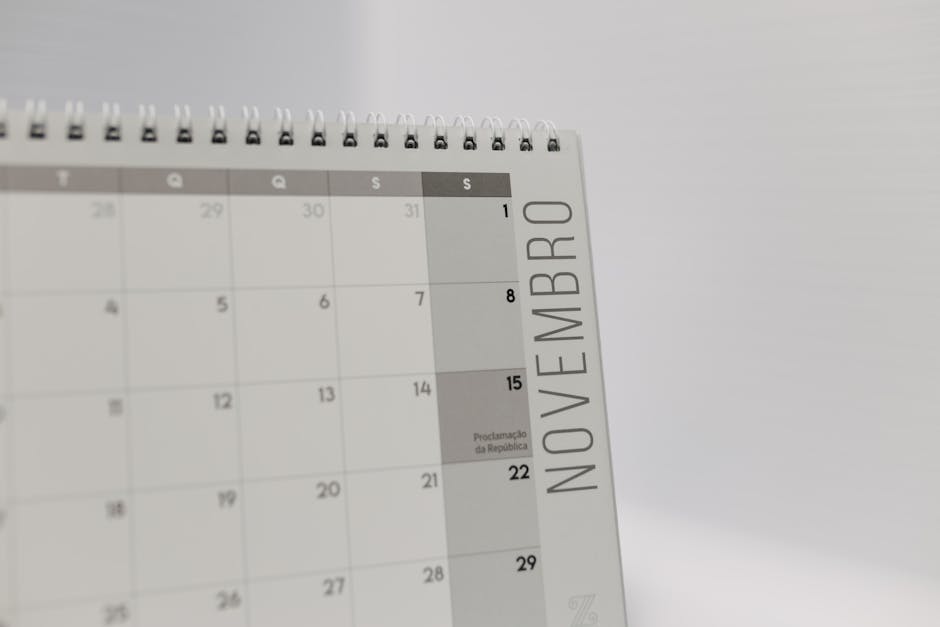
This decision affects both how much you spend and how consistently you use the planner over time. Most buyers underestimate how much it matters in practice.
What does “undated” actually mean in practice?
Undated planners have identical structural sections — daily pages, weekly spreads, monthly calendars — but the dates are blank. You fill in the day, month, and year yourself as you go.
The pitch is flexibility: start in April, skip two weeks without wasting paper, take a break and return without the guilt of empty dated pages staring back at you. The reality is more complicated. Many people find that manually writing in dates reduces the psychological sense that the planner is live and active. The blank date field makes it subtly easier to skip a day, because tomorrow’s date isn’t already printed on the page and waiting for you.
Who should choose a dated planner?
Dated planners work better for anyone who benefits from external accountability structure. Students with fixed semester schedules, teachers with defined school years, and professionals who know they’ll use their planner consistently all tend to stick with dated versions longer. The pre-printed date creates a mild but real obligation. Missing February 14th feels more concrete when February 14th is already on the page — that low-level accountability is a feature, not a gimmick.
The Passion Planner’s academic-year dated edition is a clear example of format serving its audience. For a high school student or teacher, opening a January-dated planner in September feels immediately out of sync. The August-start version removes that friction entirely. Small design choices like this tend to have outsized effects on consistency over a full school year.
When undated is the smarter choice
Two situations genuinely favor undated planners. First, when you’re testing a new planner system and aren’t yet confident you’ll stick with it — buying undated means no money wasted on skipped months. Second, when your schedule is genuinely irregular. Freelancers, researchers, and anyone whose work intensity varies dramatically week to week typically find undated formats more forgiving.
Buying a dated planner in March and not opening it until May means two months of skipped pages and a quiet sense of failure before you’ve started. Undated eliminates that entirely. Both the Full Focus Planner and the Clever Fox Planner Pro are undated by default — one reason they tend to attract professionals working outside standard calendar cycles. At $27–32, the Clever Fox Pro is also among the more affordable entry points for testing the three-horizon planning system before committing to a pricier option.
Which Planner Format Matches How You Actually Think

Buying the most-reviewed planner and abandoning it three weeks later is extremely common. Usually the planner itself isn’t the problem. The format is mismatched to how the buyer’s brain actually processes time and tasks — and no amount of good reviews corrects that mismatch.
Four planning styles cover most buyers:
- Time-block thinkers plan their day in hourly or half-hour slots. They need a daily page with printed time increments. The Passion Planner (hourly from 6am to 10pm) and the Full Focus Planner (half-hour blocks) both work for this style. The Panda Planner Pro does not — its daily section is task-oriented, not time-mapped. Buying the Panda Planner if you live by a calendar schedule will frustrate you within a week.
- Task-list thinkers plan in to-do lists, not time slots. They want a weekly spread with generous task columns and a simple daily priority section. The Panda Planner Pro is built precisely for this style. The Clever Fox Pro also works well. The Hobonichi Techo Cousin’s midnight-to-midnight hourly grid will sit unused and feel like wasted paper for this group.
- Goal-oriented planners want daily actions explicitly connected to larger ambitions. Monthly goal-setting sections are not optional for this group — they’re the point. The Full Focus Planner and Passion Planner both include structured goal frameworks that bridge strategy to execution. The Erin Condren LifePlanner is lighter on goal architecture; it functions more as a schedule than a strategy tool.
- Visual and creative planners want space to sketch, color-code, decorate, and make the planner genuinely their own. The Erin Condren LifePlanner ($55–65) dominates this category, partly because the community ecosystem around it — stickers, decorative inserts, layout inspiration — is enormous and active. The Hobonichi Techo is the other serious option: its Tomoe River paper handles fountain pen ink exceptionally well, and its minimalist layout actively invites creative customization without fighting you.
One practical factor that most planner reviews overlook: binding type. Spiral-bound planners lay completely flat on a desk. You can type, reference notes, and write simultaneously without holding anything open. Hardcover or glue-bound planners require breaking the spine or actively holding the book with one hand. Over 365 days of daily use, that extra friction accumulates quietly and meaningfully. Spiral binding isn’t a quality signal — but it is a usability signal worth verifying before you buy.
| If you are… | Best pick | Why |
|---|---|---|
| A student with a semester schedule | Passion Planner — academic dated ($30–35) | August–July format, hourly daily view, affordable |
| A teacher managing multiple classes | Panda Planner Pro ($27–30) | Low daily maintenance cost, weekly review built in |
| A professional with quarterly goals | Full Focus Planner ($45) | Explicit daily-to-goal connection at every time horizon |
| A visual or creative planner | Erin Condren LifePlanner ($55–65) | Customizable layouts, massive sticker and insert ecosystem |
| Trying planners for the first time | Clever Fox Planner Pro — undated ($27–32) | Low cost, no wasted pages, clean three-horizon structure |
| Running a focused 90-day project | Self Journal — BestSelf Co. ($32) | Sprint-based structure built around one primary goal |
The difference between a planner that works and one that collects dust almost always comes down to format fit, not brand quality. The Erin Condren and the Panda Planner are both well-made products built for fundamentally different people — and buying the wrong one for your thinking style is a mistake that no amount of discipline corrects.