For decades, the professional landscape was defined by the physical boundaries of the corporate campus—a structure designed to enforce a specific mode of consciousness through architectural uniformity. However, the migration to the domestic sphere has dismantled these external scaffolds, forcing the individual to become their own architect of productivity. The transition from a kitchen island to a high-output home office is not merely a matter of convenience; it is a complex negotiation between environmental psychology, biological rhythms, and technological integration. Research into environmental psychology suggests that the human brain relies on external cues to trigger specific cognitive states. When the environment for rest is identical to the environment for labor, the result is often a state of perpetual, low-grade cognitive fatigue. Transitioning to a high-output remote model requires more than just a fast internet connection; it requires a systematic overhaul of one’s physical space, temporal management, and hardware choices.
How to design a dedicated home office for cognitive focus?
Creating a functional workspace is not merely about aesthetics; it is about managing sensory inputs to minimize cognitive load. The brain constantly monitors its surroundings for changes in light, sound, and movement. In a home environment, these inputs are often unpredictable. To mitigate this, one must establish a ‘primary work zone’ that signals to the prefrontal cortex that it is time to engage in deep work. This zone should ideally be a separate room with a door, but if that is not possible, visual anchors like a specific desk or even a dedicated rug can serve as psychological boundaries. According to Attention Restoration Theory (ART), urban and domestic environments are filled with “bottom-up” stimuli that demand our attention. A well-designed office flips this dynamic, allowing for “top-down” directed attention where the worker controls the focus.
Optimizing Lighting and Color Temperature
Light has a profound impact on the circadian rhythm and alertness levels. Natural light is the gold standard, as exposure to sunlight suppresses melatonin production during the day and regulates the suprachiasmatic nucleus. However, for those working in windowless rooms or during evening hours, artificial lighting must be managed carefully. The Kelvin (K) scale measures the color temperature of light. For high-focus tasks, lighting in the 4000K to 5000K range (cool white/daylight) is recommended. This temperature mimics midday sun and encourages alertness by stimulating the production of cortisol.
Conversely, warm light (2700K to 3000K) signals the body to relax and should be avoided in the workspace. Smart bulbs, such as the Philips Hue White and Color Ambiance (approx. $50 per bulb), allow users to automate these shifts. These bulbs offer up to 1100 lumens of brightness and support 16 million colors, allowing for precise environmental control. Pros: Integration with Apple HomeKit, Google Assistant, and Alexa; seamless scheduling via the Hue Bridge; high Color Rendering Index (CRI) for reduced eye strain. Cons: High entry cost; requires a dedicated hub for full functionality; potential for connectivity lag in mesh networks. While these bulbs are more expensive than standard LEDs, the ability to regulate biological signals is a measurable advantage for long-term productivity.
Managing Acoustic Distractions and Noise Floors
Sound management is the second pillar of environmental design. A consistent noise floor is often less distracting than intermittent sounds like a barking dog or a distant television. Active Noise Cancellation (ANC) technology has become a necessity for the remote professional. The Sony WH-1000XM5 headphones (approx. $350) are widely regarded as the industry leader in this category. They feature two processors controlling eight microphones for unprecedented noise cancellation and 30mm specially designed driver units. Pros: Industry-leading ANC; 30-hour battery life with quick charging (3 minutes for 3 hours of playback); exceptional call quality via beamforming microphones. Cons: Non-folding design makes them bulky for travel; higher price point than competitors like Bose; touch controls can be finicky in cold weather.
For those who find total silence unsettling, ‘pink noise’ or ‘brown noise’ can be more effective than music for concentration. Unlike white noise, which has equal energy across all frequencies, pink and brown noise have more energy at lower frequencies, which the human ear perceives as a soothing, natural sound similar to rainfall or a distant waterfall. This masks the erratic frequencies of household noise, allowing the brain to maintain a state of flow without the cognitive cost of processing lyrical music.
What are the best time management techniques for remote workers?

Without the natural rhythms of an office—meetings in different rooms, lunch breaks with colleagues, or the commute—time in a home office can feel amorphous. This leads to ‘time-blurring,’ where the workday extends indefinitely because there are no clear start or stop points. To counter this, one must use structured frameworks that dictate exactly when work happens and, more importantly, when it stops. These frameworks are not about working more hours; they are about increasing the density of the work performed within those hours. This is an application of Parkinson’s Law, which states that work expands so as to fill the time available for its completion.
Implementation of Time Blocking for Deep Work
Time blocking is the practice of partitioning the day into distinct segments, each dedicated to a specific task or category of tasks. Instead of a running to-do list, which can feel overwhelming, a time-blocked calendar provides a visual representation of capacity. Cal Newport, a leading researcher on deep work, suggests that high-value cognitive tasks require long periods of uninterrupted focus. A typical remote schedule should include a three-hour block in the morning for ‘Deep Work’—tasks that require intense concentration—followed by smaller blocks for ‘Shallow Work,’ such as email, Slack messages, and administrative duties. This prevents the ‘fragmentation’ of the workday, where constant notifications prevent the brain from ever reaching a state of flow. Successful time blocking also requires “buffer blocks” to account for the inevitable overruns of complex tasks.
The Pomodoro Technique and Cognitive Load
For tasks that are repetitive or difficult to start, the Pomodoro Technique remains a highly effective tool. By working in 25-minute intervals followed by a 5-minute break, the brain is given frequent opportunities to rest. This prevents the buildup of cognitive fatigue and manages the “Zeigarnik Effect,” which is the tendency to remember uncompleted tasks more than completed ones. After four ‘pomodoros,’ a longer break of 15 to 30 minutes is taken. This method is particularly useful for remote workers who struggle with the isolation of the home office, as the frequent breaks provide moments to step away from the screen, stretch, or hydrate. The key to success with this method is the strict adherence to the breaks; using the 5-minute break to check email defeats the purpose of the rest period. During these breaks, one should ideally engage in “non-screen” activities to allow the visual cortex to recover.
| Technique | Primary Goal | Best For | Difficulty | Optimal Duration |
|---|---|---|---|---|
| Time Blocking | Schedule Control | Complex projects, deep work | Moderate | 60-120 min blocks |
| Pomodoro | Focus Maintenance | Repetitive tasks, avoiding burnout | Low | 25 min work / 5 min break |
| Eat the Frog | Overcoming Procrastination | High-anxiety tasks | High | First task of the day |
| Day Theming | Cognitive Continuity | Managers, multi-project roles | Moderate | Full business day |
| Flowtime | Uninterrupted Focus | Creative work, coding | High | Variable (Natural breaks) |
Which ergonomic furniture and tech improve work-from-home efficiency?
Physical discomfort is a silent productivity killer. A poorly designed chair or a desk at the wrong height causes micro-distractions as the body constantly shifts to find relief. Over months and years, this leads to repetitive strain injuries that can significantly derail a career. Investing in professional-grade ergonomic equipment is a capital expenditure that pays dividends in the form of increased stamina and reduced sick leave. The goal is to maintain a ‘neutral’ posture: feet flat on the floor, knees at 90 degrees, and the top of the monitor at eye level. This alignment reduces the strain on the musculoskeletal system and prevents the “tech neck” associated with leaning toward a laptop screen.
Ergonomic Seating: Steelcase Gesture vs. Herman Miller Aeron
The chair is the most critical component of the home office. Two models dominate the high-end market: the Steelcase Gesture (approx. $1,400) and the Herman Miller Aeron (approx. $1,800). The Gesture is designed for the modern worker who changes positions frequently; its armrests have a massive range of motion, supporting everything from traditional typing to reclining with a tablet. Specs: 400 lb weight capacity, 360-degree arm rotation, adjustable seat depth. Pros: Highly adjustable for various body types; superior fabric durability; 12-year warranty. Cons: Expensive; heavy; fabric can retain heat.
The Herman Miller Aeron, conversely, is a mesh-based chair designed for breathability and a specific, ‘correct’ sitting posture. Specs: 8Z Pellicle mesh for pressure distribution, PostureFit SL for spinal support, available in three sizes (A, B, C). Pros: Excellent airflow; encourages proper posture; high resale value. Cons: Rigid frame can be uncomfortable for non-standard sitting positions; difficult to clean the mesh over time. Both chairs carry 12-year warranties, making the cost per year relatively low compared to budget office chairs that require replacement every 24 months.
Standing Desks and Movement Integration
Sedentary behavior is linked to decreased metabolic rates and lower energy levels. A height-adjustable desk allows for ‘postural rotation’ throughout the day. The Uplift V2 Standing Desk (approx. $600-$900) is a robust option known for its dual-motor stability and extensive customization. Specs: 355 lb lifting capacity; height range of 25.3″ to 50.9″; dual-motor system. Pros: Exceptional stability even at max height; massive variety of desktop materials (bamboo, solid wood, laminate); 15-year warranty on all components. Cons: Complex assembly; heavy shipping boxes; premium finishes add significant cost. Using a standing desk is not about standing all day; rather, it is about changing positions every 45 to 60 minutes to stimulate blood flow. Data from ergonomic studies suggests that even small amounts of movement can improve cognitive performance by increasing oxygenation to the brain.
Investing in a high-quality chair and desk is not a luxury; it is a fundamental requirement for anyone planning to work remotely for more than twenty hours per week. The cost of physical therapy for a lumbar injury far exceeds the price of a Steelcase or Herman Miller.
How to maintain professional boundaries and mental health while working remotely?
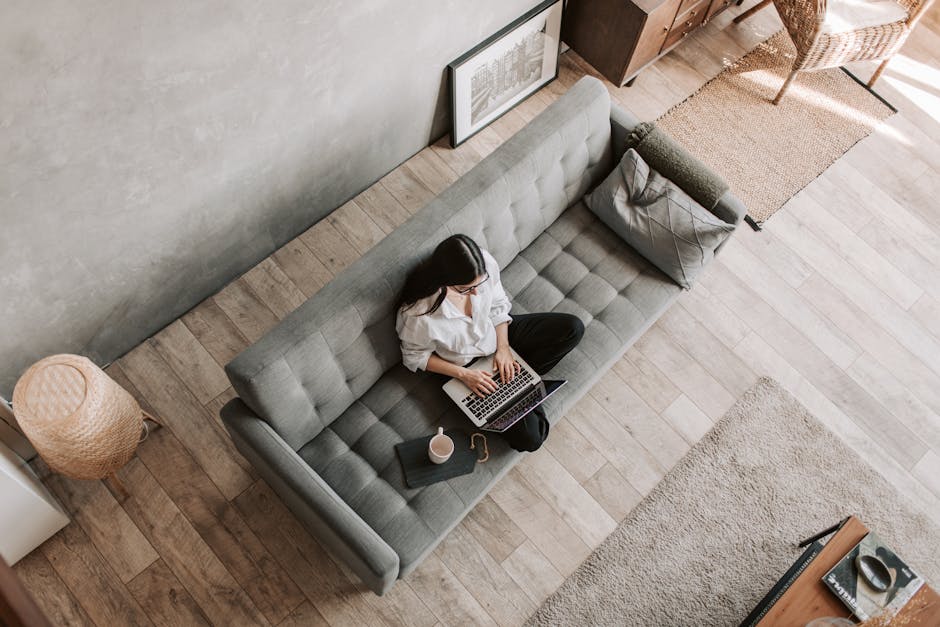
The psychological challenges of remote work are often more difficult to manage than the technical ones. The ‘always-on’ culture is exacerbated when the office is also the home. Without a physical departure from the workplace, the brain struggles to enter a state of recovery. This leads to burnout, characterized by a lack of motivation and a sense of cynicism toward one’s work. Establishing firm boundaries is essential for long-term sustainability. This involves both digital hygiene and the creation of ‘transitional rituals’ that signal the beginning and end of the professional day. Mental health in a remote setting requires proactive management of isolation and the “blurred lines” of domestic life.
The Concept of the “Virtual Commute”
The traditional commute, while often viewed as a nuisance, served a vital psychological function: it provided a buffer between the ‘work self’ and the ‘home self.’ Remote workers can replicate this through a ‘virtual commute.’ This might involve a 15-minute walk around the block before starting work and another walk immediately after closing the laptop. Other rituals include changing clothes—shifting from loungewear to professional attire—or a specific ‘shutdown sequence’ where the desk is cleared and the computer is fully powered down rather than just put to sleep. These actions provide the brain with the necessary cues to downshift from a high-alert work state to a relaxed home state. This helps in preventing “decision fatigue,” where the brain remains in an analytical mode long after the workday has ended.
Managing Digital Notifications and Asynchronous Communication
Constant pings from Slack, Teams, or email create a state of ‘continuous partial attention.’ This is the enemy of productivity. To regain control, one must shift toward asynchronous communication. This means checking messages at specific intervals rather than reacting to them in real-time. Turning off all non-essential notifications on both the computer and the smartphone is a foundational step. If a task requires deep focus, the phone should be placed in another room entirely. Research shows that the mere presence of a smartphone, even if it is turned off, reduces available cognitive capacity because a portion of the brain is actively working to ignore it. By batching communication into two or three 30-minute windows per day, one can ensure that the majority of the workday is spent on high-impact tasks rather than reactive messaging. This also sets expectations for colleagues regarding your response times, reducing the pressure of immediate availability.
Hardware Maintenance and Longevity Tips

A high-performance home office requires regular maintenance to ensure that equipment remains functional and the environment remains conducive to focus. Neglecting the physical upkeep of your tools can lead to technical failures at critical moments. A monthly “maintenance audit” should be part of every remote professional’s routine. This includes checking cable integrity, updating firmware on smart devices, and ensuring that ergonomic adjustments haven’t loosened over time.
Cable Management and the ‘Clutter-Free’ Advantage
Visual clutter is a significant source of cognitive load. A desk covered in tangled wires creates a sense of chaos that can subtly increase stress levels. Utilizing cable management trays, such as the Uplift Desk Wire Management Kit (approx. $30), can transform a workspace. By routing all power and data cables into a single spine or tray, you remove visual distractions and make cleaning the desk surface much easier. Furthermore, proper cable management prevents “cable strain,” where the weight of a hanging wire damages the ports on your laptop or monitor over time. Using Velcro ties instead of plastic zip ties is recommended, as they are adjustable and do not risk cutting into the cable insulation.
Cleaning and Hygiene for High-Touch Surfaces
The keyboard, mouse, and chair are high-touch surfaces that accumulate bacteria and skin oils. For mechanical keyboards, a keycap puller and compressed air should be used quarterly to remove debris from under the switches. For mesh chairs like the Aeron, a vacuum with a brush attachment can prevent dust from clogging the weave. For fabric chairs like the Gesture, a mild upholstery cleaner should be used to prevent odors. Screen hygiene is also critical; use only microfiber cloths and dedicated screen cleaners to avoid damaging the anti-reflective coatings on high-end monitors. Maintaining a clean environment is not just about aesthetics; it is about extending the life of your significant financial investments in professional hardware.
The successful remote worker is one who treats their home office with the same rigor as a laboratory. It is an environment that must be controlled, measured, and optimized. By focusing on the three pillars—environmental design, temporal structure, and physical ergonomics—one can achieve a level of output that often surpasses what is possible in a traditional, distraction-filled office. The transition requires discipline and an initial investment in quality equipment, but the result is a more sustainable, productive, and healthy professional life. As the boundary between work and home continues to evolve, the ability to curate one’s own productivity environment will remain a definitive competitive advantage in the global labor market.