The reason hybrid note-taking systems fail is not that they are too complicated. It is that no one defines the routing rule.
Without a routing rule — a clear decision about what type of information lives where — you end up writing the same thing twice, trusting neither system, and abandoning both by week three. With one, the combination of digital and physical becomes genuinely more useful than either alone. Research on note-taking consistently shows that handwriting strengthens retention in ways typing does not. But digital tools win on search, tagging, and syncing across devices. You get both benefits only if the systems do different jobs.
The One Rule That Makes a Hybrid System Work
Capture everything digitally. Plan and prioritize physically. That is the entire routing rule. Everything else follows from it.
Your digital app is a reference library. It holds raw material — meeting notes, research, saved links, class notes, project documentation. Anything you might need to search for later belongs there. Your physical planner is the decision layer. It holds only what you are committing to act on this week.
The physical act of writing priorities by hand is not nostalgia. It is a filter. A Notion database will accept five hundred tasks without complaint. A weekly planner spread forces you to choose five.
What Lives in Your Digital System
Every note taken fast that you will need to retrieve later. Meeting summaries, lecture notes, brainstorms, research excerpts, links to sources. In Notion, the database feature handles this especially well — tag by project, status, or date and pull up exactly what you need in seconds. Obsidian is better if you want to link ideas across notes using backlinks and prefer local storage over cloud sync. Apple Notes is the right call if you are iPhone-first and want zero friction at the cost of advanced features.
What Lives in Your Physical Planner
Three things only: this week’s priorities, today’s task list, and deadlines that cannot move. The moment your planner becomes a second inbox for ideas or a place to log every thought, the system breaks. Enforce the boundary. Ideas go digital. Decisions go physical.
Format matters here. A weekly spread — one week across two pages — works better than a daily page for most people. You see the whole week at once and can shift tasks when priorities change. The Hobonichi Techo Cousin (~$40) has the best weekly spread available: grid-ruled pages that support flexible formatting, and enough daily space to log alongside the weekly overview. The Moleskine Weekly Planner (~$22) is a solid cheaper alternative with a similar layout but lighter paper.
Which Digital App Pairs Best With Which Physical Planner

The digital tool’s strengths should complement the planner’s format. Here is a direct comparison of the most practical combinations:
| Digital App | Best Physical Pairing | Planner Price | Best For |
|---|---|---|---|
| Notion | Hobonichi Techo Cousin | ~$40 | Students juggling multiple projects with deadlines |
| Obsidian | Leuchtturm1917 A5 Dotted | ~$25 | Writers and researchers who sketch visual layouts |
| Apple Notes | Moleskine Weekly Planner | ~$22 | iPhone-first users who want minimal setup time |
| OneNote | Any A5 grid notebook | $15–$30 | Office or school users already in the Microsoft ecosystem |
| Google Keep | Rocketbook Fusion | ~$35 | People who want handwriting scanned directly to Drive |
The Best All-Around Combination
The Leuchtturm1917 A5 Dotted (~$25) is the best general-purpose notebook regardless of which digital app you use. Dot grid pages work for both structured lists and freeform diagrams. The paper handles most pens without bleed-through. Numbered pages with a built-in index make cross-referencing with digital notes genuinely practical. If you are new to the hybrid system and unsure where to start, the Leuchtturm1917 paired with Notion’s free tier is the lowest-risk entry point.
The Weekly Bridge: How to Connect the Two Systems
The hybrid system only works if you actively move information between the two layers once a week. This is where most people fail. They set up Notion, buy a Hobonichi, and then let both systems drift independently until neither reflects reality. The weekly bridge — a fifteen-minute transfer ritual — prevents exactly this.
Do it Sunday evening or Monday morning. The goal is not to transcribe your digital notes into the planner. The goal is to extract commitments from them. You are not copying information. You are making decisions.
The 15-Minute Sunday Transfer
Open your digital app. Scan everything you captured in the past seven days. For each note, ask one question: does this require a specific action this week? If yes, write the action in the planner. If no, leave it digital and move on.
Write no more than five priority items for the week. Five is the ceiling, not the target. If you think you have fifteen priorities, you have a task dump — not priorities. The physical constraint of a planner page forces a decision that a Notion database never will. That constraint is the point.
What to Write and What to Leave Digital
Write deadlines, scheduled commitments, and tasks you are committing to complete this week. Leave all reference material, archived notes, ideas, and anything labeled “someday” in your digital system. The dividing line is simple: action goes physical, information stays digital.
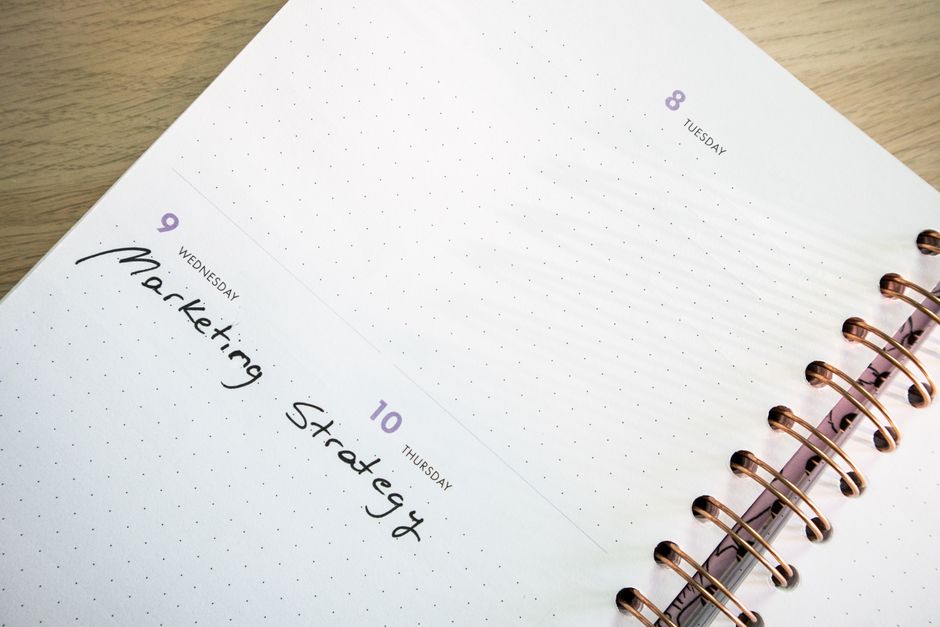
A useful format for the weekly planner page: write the week’s three non-negotiable priorities at the top of the spread. Below, list daily tasks by day. Write each task as a verb phrase — “finish chapter 4 draft,” not “chapter 4.” The verb forces specificity and makes it harder to fool yourself about what the task actually requires.
The One-Touch Rule for Daily Notes
During the day, new notes go digital immediately — phone, laptop, tablet, whatever is fastest. Do not stop to format them. Do not try to route them into the planner mid-day. The planner holds the plan; it is not a capture tool. Raw capture belongs in Obsidian or Notion where you can process it later.
At the end of each day, spend five minutes scanning what you captured and check it against the planner. If something changes tomorrow’s priorities, update the planner then. If nothing changes, close both and stop. The five-minute check is the daily maintenance cost. Skip it more than twice in a row and the systems will drift.
Four Mistakes That Cause Hybrid Systems to Collapse

- Writing the same note in both systems. If a meeting note is in Notion, it stays in Notion. The planner gets only what that note requires you to do — one action item, not a summary of the meeting. Duplication is the fastest way to burn out on the hybrid approach.
- No routing rule. “I will figure out where it goes” leads to chaos within two weeks. The rule must be decided once and enforced every time. Digital for information, physical for action. No exceptions during the workday.
- Buying the wrong planner format. Daily planners do not work well for this system — too much empty space when you are light on tasks, not enough when you are not. A weekly spread planner or a dot-grid notebook like the Leuchtturm1917 A5 gives the flexibility the system needs. Avoid undated planners with no structure; they require too much setup time each week.
- Skipping the weekly bridge. Without the Sunday transfer, the two systems grow apart within ten days. Digital notes pile up unreviewed, the planner fills with tasks that no longer reflect actual priorities, and you stop trusting either one. Fifteen minutes on Sunday is not optional. It is the maintenance cost of having two systems that work instead of two that conflict.
When to Skip the Physical Planner Entirely
If your work is fully mobile — field work, constant travel, switching between locations throughout the day — a physical planner adds friction rather than clarity. In that case, Notion’s mobile app with a simple Kanban board does the same filtering job without the risk of leaving your planner behind.
The hybrid system is also the wrong choice if your notes are purely reference material with no action component. A researcher archiving sources in Obsidian does not need a physical planner to manage what is essentially a database. The physical layer earns its place when there are weekly decisions to enforce — not just information to store.
For students and knowledge workers who juggle multiple deadlines and project types: pair Notion with the Hobonichi Techo Cousin, run the Sunday transfer every week without exception, and keep the routing rule absolute. That combination handles the full complexity of an academic or professional schedule without requiring a ground-up productivity overhaul.